Basics
Key elements of the Paper pattern:
Model
Model represents a data structure or an attribute of an object. All attributes of an object together represent the state of the object at a point in time.
Because Models are data structures, they have to be immutable or stateless in order to maintain their consistency when they are passed between Units.
Recall the example of the rectangle in the Concept section: String and Color are
considered as Models because they are immutable.
More than that, in our pattern, a Function can be considered as a Model as
well. You did not read it wrong - Function can be treated as a Model if it
meets the requirements. Read more in Function.
Unit
Unit is used to build up a tree, which can be called a unit tree. Each unit is a component of a unit tree. Units can be UIs, Data Providers, etc. A Unit will be considered as stateful.
Paper
Paper represents a request that obtains data for a Unit to process and change its state accordingly.
As mentioned in the Concept section, components will signal their direct parent via Notifys and give Commands to their direct children. Paper will represent Notify and Command.
Communication
Let's create a default example Flutter project by running the following command:
flutter create example
void main() {
runApp(const App());
}
class App extends StatelessWidget {
const App({super.key});
Widget build(BuildContext context) {
return MaterialApp(
title: 'Flutter Demo',
theme: ThemeData(
colorScheme: ColorScheme.fromSeed(seedColor: Colors.deepPurple),
useMaterial3: true,
),
home: const HomeScreen(title: 'Flutter Demo Home Page'),
);
}
}
class HomeScreen extends StatefulWidget {
const HomeScreen({super.key, required this.title});
final String title;
State<HomeScreen> createState() => _HomeScreenState();
}
class _HomeScreenState extends State<HomeScreen> {
int _counter = 0;
void _incrementCounter() {
setState(() {
_counter++;
});
}
Widget build(BuildContext context) {
return Scaffold(
appBar: AppBar(
backgroundColor: Theme.of(context).colorScheme.inversePrimary,
title: Text(widget.title),
),
body: Center(
child: Column(
mainAxisAlignment: MainAxisAlignment.center,
children: <Widget>[
const Text(
'You have pushed the button this many times:',
),
Text(
'$_counter',
style: Theme.of(context).textTheme.headlineMedium,
),
],
),
),
floatingActionButton: FloatingActionButton(
onPressed: _incrementCounter,
tooltip: 'Increment',
child: const Icon(Icons.add),
),
);
}
}
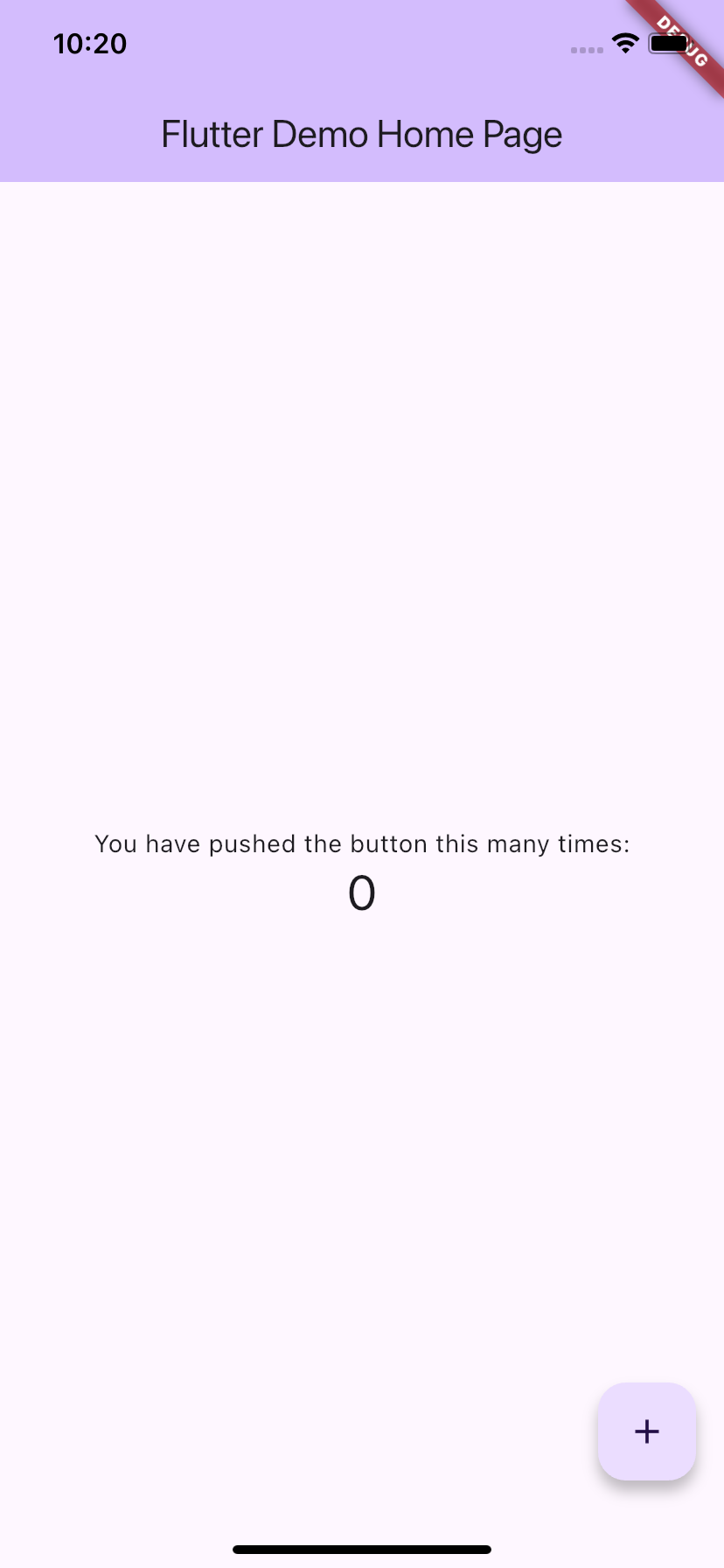
Screenshot:
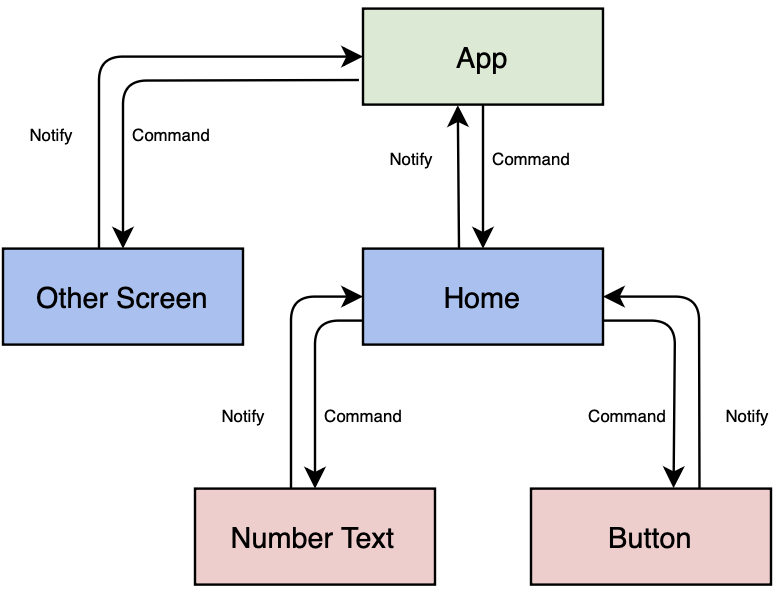
Following the Paper pattern, we have a structure like below:
Breakdown
Looking at HomeScreen, we can point out that its state consists of a Button and Text displaying a number, which change during the lifetime of the HomeScreen. The button's state changes when it is tapped, leading to the start of the inkwell ripple effect. The text displaying the number is changed by the action of tapping the button. Of course, the HomeScreen's state also consists of other attributes as well, like the text of the title in the app bar - "Flutter Demo Home Page", the text of the description above the number - "You have pushed the button this many times:", the background colors, the text styles, etc. But because they are not mutable during the lifecycle of HomeScreen, we do not need to focus on them.
Although this is a very basic example, it exactly reflects how the Paper pattern should work.
-
The Button is an Observable. Why? Because it has the capability to notify its parent - HomeScreen, when its state changes - the tap state.
-
The HomeScreen receives the notify from the Button and processes it to give a "command" to modify the text of the number to the correct figure.
-
There should be no direct communication between the Button and the Text displaying the number.
If there is a feature that requires OtherScreen to change its state when the Button is tapped, HomeScreen will have to be designed to notify its parent - App, and then App will command OtherScreen to change its state accordingly.
But if we have a large project with multiple screens and tons of features, it would be a nightmare to define callbacks or some kind of listeners for all screens. And how can we design a way for the parent to command the child to change its state? Paper Pattern aims to provide a solution for this.